



The Short Answer
For night lightning: f/5.6 to f/8, ISO 100 to 400, bulb mode at 5 to 30 seconds, manual focus at infinity, white balance at 5500K. For daytime lightning: f/8, ISO 100, 1/250s to 1/500s, and a lightning trigger. Always shoot RAW.
Settings are the most consequential decision you make before a single bolt fires. Get them wrong and no amount of trigger speed, great location, or beautiful storm will save your frames.
This guide is purely about settings: what each one does, how to choose it for your conditions, what your histogram is telling you, and the three most common mistakes that ruin sessions that should have produced great results. Field setup, composition, and the decision between manual timing and a trigger are covered in separate guides.
Why Manual Mode Is the Only Option
Lightning does not cooperate with automatic exposure systems.
Aperture priority and shutter priority work by reading ambient light and adjusting the other variables to hit the meter's target. In a lightning session, two things destroy this: the sky changes dramatically as the storm approaches, and the bolt itself is 10 to 100 times brighter than the surrounding scene.
What this means in practice: in aperture priority mode, when a bolt fires, the camera reads the sudden spike in light and compensates by ramping the shutter speed up. The bolt is gone by the time the new shutter speed takes effect, and the next several frames are all underexposed as the camera recalibrates. You get nothing from the bolt frame and garbage from the surrounding frames.
Manual mode locks every variable. The bolt fires into a consistent exposure that you control. That consistency is also what makes batch editing fast rather than frame-by-frame.
Always use M (Manual) mode.
Breaking Down Each Setting
Aperture: Your Primary Exposure Lever
Aperture is where you start when building your exposure. It controls depth of field (foreground-to-background sharpness) and is your main tool for managing how bright bolts render.
f/5.6: Use for distant storms (15 to 30 miles away) or storms with relatively low activity. Lets in more light to compensate for faint flashes and darker ambient conditions.
f/8: The standard starting point for most lightning sessions. Good depth of field, manageable bolt brightness for active storms at 5 to 15 miles, and enough latitude to adjust ISO in either direction.
f/11: Step down to this when bolts are very bright and your f/8 captures are showing blown-out channels with no internal detail. Also appropriate for very active storms where you want shorter exposures and need more light control.
f/16 and beyond: Avoid it. Diffraction begins to soften the image at this aperture on most sensors, and the light restriction forces you to push ISO higher, which introduces noise without meaningful creative benefit.
If you are unsure where to start, lock in at f/8 and read your histogram after the first few triggered or exposed frames.
ISO: Lower Than You Think
This is the setting that surprises most photographers coming from low-light disciplines. In lightning photography, high ISO is almost never an asset.
Lightning is an extraordinarily bright light source. You do not need high sensitivity to capture it. What high ISO gives you in this context is noise in the shadow areas of the sky, which becomes visible against what would otherwise be a clean dark background.
ISO 100: The cleanest option. Use whenever ambient light conditions allow it, which is most night sessions in moderately rural settings.
ISO 200 to 400: Use when shooting in deep rural darkness with no ambient fill, or when your storm is distant and weak, and you need to lift the overall exposure slightly to see cloud structure.
ISO 800 and above: Reserve this for emergency adjustments only. At ISO 800 and higher, most sensors produce visible noise in the sky that requires significant noise reduction in post, which also softens fine detail in the bolt channels.
The principle is simple: choose the lowest ISO that keeps your foreground and sky readable without underexposing the scene to the point that there is nothing to recover.
Shutter Speed: Where Night and Daylight Become Completely Different Disciplines
This is the setting where lightning photography splits into two distinct approaches. Understanding why they diverge is the key to never wasting a session on the wrong method.
At Night: The Long Exposure Window
At night, the ambient sky is dark enough that you can leave the shutter open for an extended period without overexposing the scene. The bolt becomes the dominant light source in the frame. You are not timing the shutter to the bolt; you are opening a window long enough that a bolt fires inside it statistically.
5 to 10 seconds: Best for close, highly active storms producing multiple bolts per minute. Short windows keep ambient light accumulation low, which preserves sky darkness and reduces light pollution buildup in urban areas.
15 to 20 seconds: The standard working range for most sessions. Active enough storms will reliably produce at least one bolt per window.
25 to 30 seconds: Use for distant or slow storms. Longer windows compensate for lower bolt rates. Be aware that longer exposures accumulate more ambient light, which can soften sky contrast in brighter locations.
Set your camera to Bulb mode and use an intervalometer to run back-to-back exposures with zero gap. This is critical. Any gap between frames is a blind spot. Bolts do not schedule themselves around your shutter cycling.
During the Day: Why Everything Changes
At f/8, ISO 100, in full daylight, a correct ambient exposure requires a shutter speed around 1/250s to 1/500s. That is 2 to 4 milliseconds of open shutter.
A lightning bolt's visible flash lasts 200 to 1,000 milliseconds. The math suggests you should be able to catch it. The problem is that you are not the trigger. Your nervous system is.
Your eye detects the flash in roughly 13ms. Your brain processes and initiates a response in 150 to 300ms. Your finger moves, the shutter fires, and you have captured the frame roughly 200 to 350ms after the bolt began. On a 200ms bolt, it is already gone. On a 1,000ms bolt, you might catch the final 600ms, but the sharpest, brightest core of the strike is in your earliest frames.
This is why daytime lightning requires a trigger device, not faster reflexes. The full settings and methodology for daylight capture are in the [Daytime Lightning Photography guide] (link to Blog 5).
White Balance: Lock It and Leave It
Auto white balance shifts frame to frame as ambient light changes during a storm. In a 300-frame session, this creates 300 potentially different color temperatures to correct individually.
Set white balance to Daylight (5500K) or a manual Kelvin of 5000 to 5500. This preserves the bolt's natural blue-white tones and gives you a consistent baseline for batch editing. Adjust color temperature globally in Lightroom rather than chasing it frame by frame.
Focus: The Setting Most People Get Wrong
Autofocus fails in lightning photography for one unavoidable reason: when a bolt fires, it creates a sudden spike in contrast across the frame, and many AF systems will respond by hunting or shifting. The one frame you most want to be sharp is the one where the AF is most likely to have moved.
How to set manual focus correctly:
Switch to live view. Zoom to 100% on your camera's LCD. Find the sharpest distant light source available (a star, a radio tower light, a lit building on the horizon). Turn your focus ring until that point is sharp. Switch the lens to MF mode. Take a test frame and zoom in on the LCD to verify.
If your lens has focus creep during long sessions, put a small piece of gaffer tape across the focus ring after you have confirmed your position. Temperature changes, condensation, and accidental contact can all shift an unlocked ring.
Full Settings Reference Table
|
Scenario |
Aperture |
ISO |
Shutter |
Trigger? |
|
Night, active storm, close (under 10 miles) |
f/8 to f/11 |
100 to 200 |
5 to 10s bulb |
Optional |
|
Night, moderate storm, mid-range |
f/8 |
100 to 200 |
15 to 20s bulb |
Optional |
|
Night, distant or slow storm |
f/5.6 |
200 to 400 |
25 to 30s bulb |
Optional |
|
Golden hour / twilight |
f/8 |
100 to 200 |
1 to 4s |
Recommended |
|
Full daylight |
f/8 |
100 |
1/250s to 1/500s |
Required |
Reading Your Histogram During a Session
Your histogram is more reliable feedback than your LCD preview, especially in the field where screen brightness and glare distort how images look. Check it after your first 10 frames and after any significant change in conditions.
What a well-exposed lightning frame looks like: The main distribution of pixels sits in the left to center of the histogram (dark sky, foreground). There is a narrow spike reaching toward the right edge. That spike is the bolt. It should approach but not crush against the right wall.
Spike clipping hard against the right wall: The bolt is overexposed. Stop down one stop on aperture or lower ISO if possible.
No spike at all: The bolt either did not fire during that exposure, or was too faint to register as a spike. This is normal during slow storm phases.
Mass of pixels against the right wall: The ambient sky is overexposed. Stop down aperture, lower ISO, or shorten your exposure window.
Flat histogram, everything in the left third: Significant underexposure. Open aperture one stop or raise ISO one stop.
The Three Settings Mistakes That Kill Sessions
Leaving ISO on Auto. As storm clouds darken the sky, the camera pushes ISO higher to compensate. Bolts then overexpose badly and shadow noise rises across the whole session. Set ISO manually before you start.
Using aperture priority. Covered above: a bolt fires, the camera meters the brightness spike and compensates by shifting the shutter. The frame is ruined, and the next several frames are poorly exposed as the camera recalibrates. Manual only.
Forgetting to turn off image stabilization. On a tripod, IS or VR systems hunt for movement to correct. Finding none, they sometimes introduce micro-movement rather than eliminating it. Turn IS or VR off when shooting on a tripod. Check your lens's stabilization switch and your camera body's IBIS settings separately.
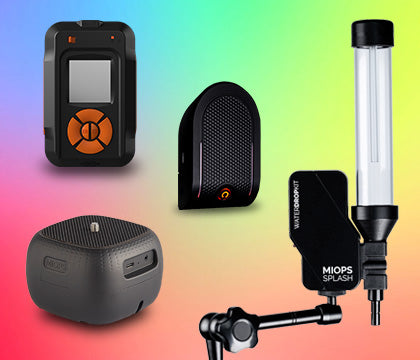
SEE WHAT THE MIOPS SMART+ CAN DOSound, laser, lightning, timelapse, HDR, and bulb ramping. One device. Compatible with Sony, Canon, Nikon, Fujifilm, and more. |
Frequently Asked Questions
What aperture is best for lightning photography?
Start at f/8. It provides solid depth of field and manageable bolt exposure for most storm distances. Close down to f/11 if bolts are very bright; open to f/5.6 if the storm is distant and weak.
What ISO should I use for lightning photography?
As low as your conditions allow. ISO 100 to 200 is appropriate for most sessions. ISO 400 when the storm is very distant and ambient light is minimal.
Can I use auto white balance for lightning photography?
Technically yes, but it makes post-processing significantly more time-consuming. Lock white balance at 5500K or Daylight before you start.
Why do my lightning photos look blurry?
Almost always camera shake rather than subject motion. Check that your tripod is secure, image stabilization is off, and you are using a remote shutter release rather than touching the camera directly.
What is bulb mode and when do I use it?
Bulb mode holds the shutter open for as long as you press the remote release, rather than limiting you to a maximum of 30 seconds. Use it for all night lightning sessions so you can control your exposure window precisely.
When Settings Are No Longer the Limiting Factor
Once your settings are dialed in for a given scenario, the remaining limiting factor for most photographers is timing. At night, an intervalometer handles this with the long-exposure method. In daylight, timing is a physiological problem that settings alone cannot solve.
The MIOPS Smart+ is the tool that addresses timing directly. It detects a lightning flash and fires your shutter in approximately 1 millisecond, regardless of the time of day or the shutter speed you are using. You set your exposure correctly for the ambient conditions, you let the trigger handle the timing, and you focus your attention on composition and positioning.
It is especially useful for photographers who want to move from statistically probable captures at night to precisely triggered captures in any light.