




The Short Answer
The best camera for time lapse photography is almost certainly the one you already own. What decides a sequence is whether the camera can stay powered for the whole run, whether something can fire the shutter on a steady interval, and whether you can lock every setting to manual. Image quality barely comes into it.
That is not the answer most pages give. Search the question and you will mostly find rankings of dedicated time-lapse units, action cameras and drones. Useful if you are starting from nothing. No help at all if there is already a mirrorless body in your bag and you simply want to know whether it will do the job.
This page is written for that second reader, and it takes the question in the order you will actually meet it. First, what makes any camera good at this. Then what you can shoot with the camera on its own, which is more than most people assume. Then the point where the body's own timer runs out and something else has to fire the shutter.
What makes a camera good for time-lapse?
Four things, and image quality is not one of them. Every frame in a time-lapse is an ordinary photograph at an ordinary shutter speed, which is why a ten year old DSLR still turns out excellent sequences. What separates a working setup from a wasted evening is a good deal more mundane.
1. Power that outlasts the sequence
Of everything on this list, this is what actually ruins sequences. A camera that dies at frame 180 of 240 leaves you with nothing, because a time-lapse that stops partway is just a short time-lapse that ends badly. It is also the failure you only discover at the end, by which point that particular sunset is gone.
Bodies that accept USB power while shooting solve it outright, and most recent mirrorless cameras do. Failing that, a grip that holds two batteries, or a dummy battery with a mains adapter, will carry a long run. Canon's own advice for interval timer work on the EOS R1 is to use household power accessories when the shooting time is long. Cold weather roughly halves what you would otherwise expect, so plan for it instead of discovering it at 2am.
2. An interval, from somewhere
The camera has to take a photograph every few seconds without you touching it. That can come from a built-in interval timer, which most current bodies have, or from an external trigger plugged into the remote port. Either is fine. Where the two differ is in the limits, and those are worth reading before you build a plan around them.
3. A remote port, if something else is firing the shutter
Any external trigger has to physically connect, and that connector varies by maker and sometimes between models in the same range. Two bodies that look alike and sit in the same lineup can take different cables, which catches people out more often than it should. If a trigger is part of your plan, this detail matters more than the sensor does, and it is the quickest thing on the list to check.
4. A shutter you are willing to spend
Every frame is an actuation. Ten seconds of finished clip at 24 frames per second is 240 exposures, so a handful of long sequences runs into thousands of frames against a shutter rated in the low hundreds of thousands. Nothing to lose sleep over, but worth knowing if you expect to shoot often. Bodies with a silent or electronic shutter sidestep it entirely.
That frame count drives your planning too. Two hundred and forty frames at a five second interval is twenty minutes of shooting. At thirty seconds it is two hours. At five minutes it is twenty hours, which is a very different evening.
Work backwards from the clip length you want and you will know immediately whether this is a battery question, a card question, or both. The MIOPS time-lapse calculator does that arithmetic for you.
Best timelapse camera: a dedicated unit or the camera you already own?
If you already own an interchangeable lens camera, that is almost certainly the better starting point. A dedicated time-lapse unit is built around one fixed lens and one fixed job. It does that job without fuss, and for a construction site or a year-long view from a window, it is exactly the right tool.
Everywhere else, that fixed lens becomes the constraint. You cannot put something wide on it for a cityscape and something longer on it for a distant ridge. You cannot open up to a fast aperture for a night sky. And you work with whatever file the unit decides to hand you. A body you already own keeps all three of those decisions where they belong, which is with you.
There is also the matter of what the gear does the rest of the year. A dedicated unit shoots time-lapse and nothing else. So for most people the honest answer to the best timelapse camera question is the one they already have.
Time-lapse with just a camera, versus your camera plus a trigger
Both work, and the difference is not image quality. It is range. A modern body on its own handles most daylight sequences perfectly well. A trigger earns its place at the edges, where the camera's own interval timer stops doing what you need.
What you can shoot with just the camera
More than you would expect. Clouds building over an afternoon, a street filling up, shadows crossing a courtyard, a sunset. Those are intervals of a few seconds to a minute at exposures well under a second, which sits comfortably inside what most built-in timers allow.
Several bodies will even assemble the finished clip for you. The Nikon Z8 builds a 16:9 time-lapse video in camera and keeps both the stills and the video, and the Olympus OM-1 MKII will turn its frames into a 4K movie. If that describes what you have in mind, you need nothing else. Set the camera to manual, lock focus and white balance, work out your frame count and shoot.
Where the camera on its own runs out
Four places, and all four are limits written into the body rather than mistakes you can shoot your way around.
-
Interval caps. The Sony A7 IV stops at 60 seconds between frames, which rules out the long intervals that plant growth or construction sequences need.
-
Bulb exposures. The Fujifilm X-T5's interval timer cannot be used at a bulb shutter speed at all, and on the Canon EOS R1 switching the mode dial to BULB cancels the timer outright. That is exactly the combination a night sequence calls for.
-
Frame counts. The EOS R1 allows 01 to 99 shots unless you set 00 to run on indefinitely, and the ranges are not consistent across Canon bodies.
-
No timer at all. Plenty of older bodies on the compatibility list have no interval function, which does not stop them shooting excellent time-lapse once something else is doing the timing.
In every one of those cases the fix is the same, because once the shutter is being fired from outside, the body's own limits stop applying.
|
|
Camera on its own |
Camera plus a trigger |
|---|---|---|
|
Interval between frames |
Whatever the body's menu allows, up to a cap that varies by model |
Set on the trigger, so the body's cap no longer applies |
|
Long exposures per frame |
Often blocked entirely at bulb speeds |
Long Exposure Timelapse sets the exposure value for each frame |
|
Changing light across a run |
Exposure smoothing on some bodies, otherwise fixed |
Bulb Ramping shifts exposure gradually through the sequence |
|
Frame count |
Capped on some bodies |
Set on the trigger |
|
Bodies with no interval timer |
Not possible |
Any supported body on the list gains one |
|
The rest of the year |
Time-lapse only |
Also fires on sound, on a broken laser beam and on lightning |
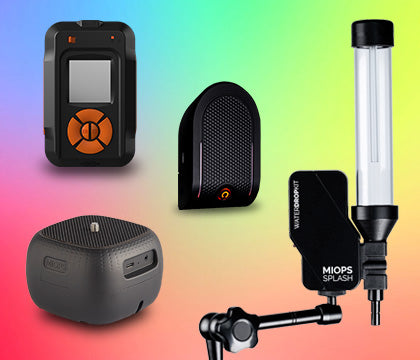
That second column is what a trigger adds, and Smart+ is one. It connects to the camera's remote port with a cable matched to your model and takes over the timing from there, which makes the first practical question a simple one: is your body on the list, and which cable does it take?
Take almost impossible photos by turning your camera into a high-speed capture device! MIOPS Smart Trigger is a versatile camera...

Smart+ Multi-Mode Camera Trigger | Lightning, Sound, Laser and Timelapse
Basic, long exposure, bulb ramping and HDR timelapse in one trigger, with the cable for your camera included.
Do I need a built-in intervalometer if I use a trigger?
No. Once a trigger is doing the timing, the camera's own timer becomes a convenience instead of a requirement.
Which cameras on the MIOPS list suit time-lapse?
These are bodies the trigger supports, not a ranking, and no row here is better than another. The cable column is the code that body needs, taken from the compatibility list. The timer column is the camera's own interval limits in the maker's words, because that is where the real differences turn up.
|
Camera |
MIOPS cable |
Built-in interval timer |
Worth knowing |
|---|---|---|---|
|
Sony A7 IV |
Cable-S2 |
1 to 60 seconds |
Will not assemble the movie, so the stills go into Imaging Edge Desktop afterwards. Sony recommends USB power for short intervals. |
|
Canon EOS R1 |
Cable-C1 |
00:00:01 to 99:59:59 |
Set 00 for the shot count and it runs until you stop it. Canon recommends household power accessories for long runs. |
|
Nikon Z8 |
Cable-N1 |
Set in hours, minutes and seconds |
Saves both the stills and the finished video. Has an exposure smoothing option. |
|
Fujifilm X-T5 |
Cable-C2 |
In-camera timer, interval and frame count |
Also blocked with multiple exposure. Has exposure smoothing. |
|
Olympus OM-1 MKII |
Cable-C2 |
00:00:01 to 24:00:00 |
Frames run 002 to 9999, with exposure smoothing and an optional 4K time-lapse movie. Connecting the camera to a computer by USB cancels interval shooting. |
|
Panasonic S5II |
Cable-P1 |
Time Lapse Shot, in the still recording options |
Panasonic recommends manual exposure mode with ISO, white balance, aperture and shutter speed fixed. |
|
Canon EOS R10 |
Cable-C2 |
In-camera interval timer |
Canon's interval and shot-count ranges differ between bodies, so read the limits for your own model, not another Canon's. |
The habit worth forming here is to read your own row instead of the general advice. Canon's ranges are not consistent across Canon bodies, Sony's cap is not Olympus's, and firmware updates move menu wording around every year. The cable code is the stable part.
Three of these bodies offer exposure smoothing, which nudges each frame's exposure towards the last one to stop the finished clip pulsing. If yours has it, use it. If it does not, the fix is to lock everything to manual and leave it alone.
Which Smart+ timelapse setting fits which shot?
Timelapse is one of the Smart+ modes. The settings inside it are what you actually choose between, and picking the right one is mostly a question of how the light will behave while you shoot.
-
Basic Timelapse holds one exposure across every frame and asks only for an interval and a frame count. This covers most daylight work.
-
Long Exposure Timelapse lets you set the exposure value too, so each frame can run for whole seconds.
-
Bulb Ramping shifts exposure gradually through the run. This is the setting for a sunrise or a sunset, where the light at frame 300 is nothing like the light at frame 1.
-
HDR merges a bracket into each frame.
-
Timewarper, Roadlapse and Stormlapse handle motion, driving and storm sequences.
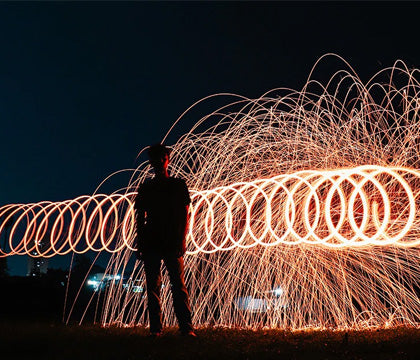
For time lapse photography night sky work, Long Exposure Timelapse is the one that matters. Time lapse photography of stars needs each frame exposed for long enough to record them, which is where a built-in timer capped at 60 seconds, or blocked at bulb speeds, stops being enough. Set the exposure value and the interval on the Smart+ and the trigger holds the shutter open frame after frame without touching the camera.
Keep the interval a little longer than the exposure so the camera has time to write each file.
One practical note for star sequences. Lock focus manually before you start. Autofocus in the dark will hunt between frames, and some bodies refuse to fire at all until they find focus, so you come back to a folder with gaps in it. Manual white balance matters for the same reason exposure does: anything the camera is free to decide between frames, it will eventually decide differently.
Of all the time lapse photography tools involved in a night sequence, the two that decide whether it works are a tripod that does not move and something that fires the shutter on an interval you chose.
When does a time-lapse need motion, and where does Capsule Pro fit?
A static time-lapse is the right answer more often than people expect. Clouds crossing a ridge, shadows tracking across a building, a crowd thinning out. The movement is already in the frame, and a slow pan laid on top of it adds nothing except the suggestion that you owned a motorised head.
Motion earns its place when the scene itself is static. A landscape with little happening in it, a product on a table, a room being built. A slow pan or tilt gives the eye something to follow and turns a flat clip into one with depth.
That is the job Capsule Pro does. It is a motorised pan and tilt head that moves the camera a fraction between frames, in single-axis or multi-axis setups. MIOPS rates it for loads up to 8 kg on the pan axis and 4 kg on the tilt axis with well-centred loads, and publishes up to 6 hours of battery life.
Its own timelapse modes run to four: Basic, Long Exposure, Bulb Ramping and HDR. It takes the same interchangeable camera cables as Smart+, so if you have already looked up your cable code, you have the answer for both.
Keep the movement smaller than feels right. A pan that looks gentle while you watch the head creep along is often aggressive at 24 frames per second, and moving too far across too few frames is the mistake almost everyone makes first.
Will it work with my camera and my shot?
The compatibility list answers the first half. It covers 600+ supported models across 15 brands, and selecting your brand and model confirms support and gives you the cable code. The camera cable page shows what each code looks like, and the cable matched to your camera ships in the box with Smart+, so a first purchase needs nothing else.
If your model is not on the list, or you are unsure which of two similar bodies you own, ask support before you order, not after. Confirming a body takes a moment and it is the difference between a cable that fits and one that does not.
The second half of the question is the shot, and that comes back to the table above. If the sequence you have in mind needs an interval longer than your camera's cap, or frames exposed at bulb speeds, the trigger is doing something the body cannot. If it does not, your camera's own timer is enough, and the trigger is there for the other things it does.
Frequently Asked Questions
Which cameras work with a MIOPS time-lapse trigger?
Smart+ supports 600+ camera models across 15 brands, including bodies from Canon, Nikon, Sony, Fujifilm, Olympus, Panasonic and Pentax. Support depends on the specific model, not the brand, so select your brand and model on the MIOPS compatibility page. The page confirms support and gives you the cable code your body needs.
Does my camera need a built-in intervalometer for time-lapse?
No. An external trigger connected to the shutter release port fires the camera on an interval you set, so the camera's own timer is not required. A built-in timer is convenient, but most carry limits on interval length, frame count or shutter speed. An external trigger is usually the way past those limits.
Can I run a time-lapse on a mirrorless camera with a camera cable?
Yes. Most current mirrorless bodies have a shutter release port, and a MIOPS camera cable connects it to the trigger. The cable is specific to your camera's connector, which is why the compatibility list gives a cable code per model. Mirrorless bodies that accept USB power while shooting are especially well suited to long runs.
How do I power a camera through a long time-lapse?
USB power while shooting is the simplest answer where your camera supports it, because it removes the battery as a limit. Otherwise use a battery grip that holds two cells, or a dummy battery with a mains adapter. Check your manual first: a few bodies change behaviour when a USB cable is connected.
What is the difference between Smart+ timelapse mode and Capsule Pro motion time-lapse?
Smart+ fires a static camera on an interval, with settings for basic, long exposure, bulb ramping and HDR sequences. Capsule Pro is a motorised pan and tilt head that also moves the camera between frames, for sequences where the scene itself is static. Both use the same interchangeable MIOPS camera cables.
Where do I check my exact camera model?
The model name is printed on the front or top plate of the camera and appears in the menu system under setup or firmware information. Use that exact string on the MIOPS compatibility page, since models within one range can need different cables. If two listings look close, ask support before ordering.
You are responsible for your own safety. Shoot only where it is safe to be after dark, tell someone where you are, and follow local guidance. Do not shoot in an active storm.
Keep Exploring
Related reading: How to Shoot the Perfect Long Exposure Time Lapse
Related reading: Motion Timelapse and Hyperlapse: How to Add Movement to Your Time-Lapses
Select your brand and model to confirm support and find your cable code.