



The Short Answer
These two tools solve different problems, so the honest answer is that most OM System shooters eventually want both.
Live Composite excels at building one image from light that accumulates over minutes. For star trails, light painting, fireworks, and traffic trails after dark, it's hard to beat. A camera trigger does something else entirely: it reacts to a single event in about 1 millisecond and hands you a separate, individually exposed frame for each one.
The practical dividing line is daylight and frame selection. Shooting at night and happy with one accumulated image? Live Composite is already on your camera and costs nothing. Shooting daytime lightning, or wanting individual frames you can choose between? That takes a trigger. And because the Smart+ supports Olympus bodies through the correct cable, running both is a real option, not an either/or decision.
Live Composite vs Smart+ at a Glance
|
Olympus Live Composite |
MIOPS Smart+ |
|
|---|---|---|
|
What it does |
Stacks repeated exposures in-camera, adding only new brighter light |
Detects an event and fires the shutter in about 1 ms |
|
Output |
One finished composite file (RAW or JPG) |
Separate frames, one per detected event |
|
Works in daylight |
Very limited, ambient light saturates the stack |
Yes, this is its main advantage |
|
Pick the best single bolt |
No, all light accumulates into one frame |
Yes, every strike is its own file |
|
Ambient exposure |
Locked from the first frame of the sequence |
Set per frame, adjustable as light changes |
|
Camera support |
Current OM System bodies only |
500+ DSLR and mirrorless bodies across brands |
|
Best for |
Star trails, light painting, fireworks, traffic trails |
Lightning, splashes, daytime storms, high speed events, laser and endless opportunities |
What Live Composite Actually Does
OM System describes Live Composite plainly on its own Learn Center: the camera shoots a series of images using the same exposure time, each shot records only new sources of light, and the camera composites them for you into a finished RAW or JPG. It's available on all current OM SYSTEM cameras.
The mechanic that matters is in that middle clause. After the first frame sets your base exposure, every subsequent frame contributes only the pixels that got brighter. A streetlight that was already in frame stays exactly as bright as it was at the start. A car's headlights moving through the scene get added as a trail.
That's why it produces clean star trails without the blown-out sky you'd get from one enormous single exposure, and why you can watch the image build on the rear screen instead of guessing.
Live Bulb and Live Time are its siblings. Both let you watch a single long exposure develop live, the difference being that Live Bulb holds the shutter open while the button is held, and Live Time opens on one press and closes on a second.
Where Live Composite Wins Outright
For a set of jobs, Live Composite isn't just adequate, it's the better tool, and no trigger changes that:
-
Star trails. The camera does the stacking that would otherwise mean a hundred frames and a session in software afterward.
-
Light painting. You can see the painted light accumulate in real time and stop when the image looks right.
-
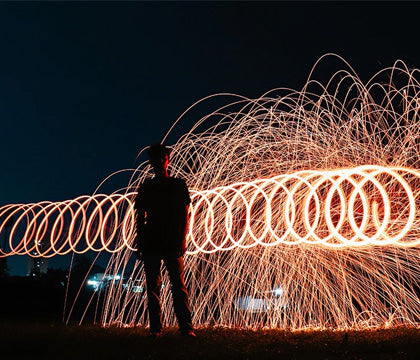
Fireworks. Multiple bursts build into one frame without overexposing the sky between them.
-
Traffic and city light trails. Continuous streams of moving light are precisely what the mode was designed to accumulate.
In all four cases the subject is light that arrives repeatedly or continuously over a long window, and the goal is a single accumulated image. That's the shape of problem Live Composite was built for.
Where Live Composite Runs Out
The same design that makes it good at accumulation creates four hard limits.
It Struggles in Daylight
The mode depends on new light being brighter than the base exposure. In daylight the ambient level is already high, so a daytime storm gives it very little to work with. This is the single clearest case where an in-camera mode won't get you there and a trigger will.
You Get One Image, Not a Choice
Everything that happens during the sequence lands in the same file. If a session produces six lightning strikes and one of them is spectacular, you can't extract that one. You have a composite containing all six, including the weak ones and anything else bright that wandered through the frame.
Ambient Exposure Is Locked at the Start
The base exposure comes from the first frame. During a storm at dusk, when the sky can drop several stops in twenty minutes, that opening exposure is baked in for the whole sequence. A trigger sets exposure per frame, so you can adjust as the light changes.
It's OM System Only
This is a feature of current OM System bodies and nothing else. If you also shoot Canon, Nikon, Sony, Fujifilm, or Panasonic, the technique doesn't travel with you. A trigger works across all of them.

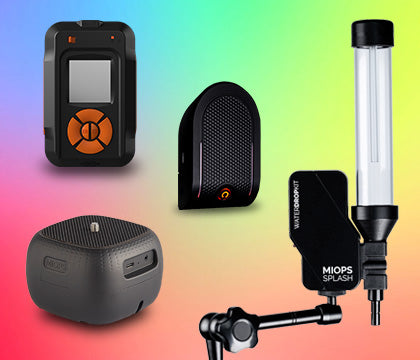
Smart+ Multi-Mode Camera Trigger | Lightning, Sound, Laser and Timelapse
Take almost impossible photos by turning your camera into a high-speed capture device! MIOPS Smart Trigger is a versatile camera...
Detects lightning in about 1 millisecond. Works with 500+ cameras
Where a Trigger Wins
A camera trigger inverts the model. Instead of accumulating light over a window, it waits for a specific event and fires the shutter faster than you could react.
The Smart+ detects a lightning strike in as little as 1 millisecond and releases the shutter automatically. Human reaction time runs somewhere around 200 to 250 milliseconds, so this isn't a small margin. Beyond Lightning mode it also covers Sound, Laser, Timelapse, HDR, and Long Exposure, which is what makes it useful well outside storm season.
The four things it gives you that Live Composite can't:
-
Daytime capability. A trigger doesn't care how bright the ambient scene is, because it's reacting to an event, not accumulating light.
-
Individual frames. Every strike is its own file, so you can pick the best and discard the rest.
-
Per-frame exposure. Change settings mid session as the light shifts without losing what you already shot.
-
Cross-brand portability. It moves with you to any of 500+ supported bodies instead of living in one camera system.
Starting Settings for Live Composite
If you're setting up a Live Composite sequence for the first time, the order of operations matters more than any single value.
-
Mount the camera on a tripod and compose before anything else. Once the sequence starts, moving the camera ruins the stack.
-
Switch to manual focus and set it deliberately. Autofocus hunting in the dark will cost you the sequence, and focus can't be corrected mid stack.
-
Set the base exposure with a single test frame first. This is the exposure that locks in, so check it on the rear screen before committing.
-
Start with ISO 200 to 800 depending on ambient light. Higher ISO accumulates noise across every frame in the stack, so go lower than instinct suggests.
-
Choose an individual exposure time between 1 and 8 seconds for most subjects. Shorter frames give finer trails, longer frames give smoother ones.
Then watch the rear screen and stop when the image looks right. That live feedback is the whole point of the mode, and the most common beginner mistake is running the sequence on a timer instead of watching it build.
Starting Settings for a Trigger
The setup for trigger work is different in one important way: you're exposing for a single frame, not a stack, so each shot has to stand on its own.
-
Night lightning: ISO 100, aperture between f/5.6 and f/10, and a long exposure or bulb while the trigger handles release timing.
-
Daytime lightning: expose for the ambient scene as you normally would, usually somewhere around 1/200 to 1/500, and let the trigger catch the strike.
-
Sensitivity: start at 1 to 2 percent. Raise it if dim or distant strikes are being missed, lower it if ambient light or non-photogenic flashes keep firing the shutter.
-
Manual focus set to infinity and verified in a zoomed live view, the same as any night work.
For the full gear breakdown, including lens choice, tripods, and weatherproofing for storm conditions, see our guide to choosing the right gear for lightning photography.
Using Both Together
These aren't competing purchases. Olympus uses its own port standard, and Smart+ supports it through the matching cable, so an OM System body can run either approach depending on the night. Check your exact model on the camera compatibility page before ordering so the right cable ships with it.
A practical split most OM shooters land on: Live Composite for anything where light accumulates and you want one finished image straight out of camera, and the trigger for anything that happens once, fast, and unpredictably. Star trails on a clear night, trigger on a storm night.
Which Should You Reach For?
A short decision guide, not a verdict:
-
Shooting star trails, light painting, or fireworks at night on an OM System body: use Live Composite. You already own it and it's the right tool.
-
Shooting lightning at night and happy with one accumulated frame: Live Composite will get you a usable image.
-
Shooting lightning in daylight: you need a trigger. This isn't a preference, it's a limitation of how accumulation works.
-
Want individual, selectable frames of each strike: you need a trigger.
-
Shooting more than one camera brand: a trigger travels, Live Composite doesn't.
-
Shooting splashes, balloon pops, or other sound-triggered high speed work: Live Composite doesn't address this at all.
Common Mistakes and Why They Happen
Assuming Live Composite replaces a trigger is the most common one, and it holds up right until the first daytime storm or the first time someone wants to publish a single clean bolt instead of a composite of six.
Running a Live Composite sequence too long is another. The longer it runs, the more stray light accumulates, and a passing car or a headlamp can quietly ruin twenty minutes of work. Shorter sequences give you more usable attempts.
Setting the base exposure for the sky you can see, not the sky you'll have in fifteen minutes, catches people out at dusk. Expose slightly darker than looks right at the start if the light is still falling.
Finally, leaving a trigger's sensitivity at its default and concluding it doesn't work. Start around 1 to 2 percent and adjust: raise it if dim strikes are missed, lower it if ambient light keeps firing frames you can't use.
Frequently Asked Questions
Does Olympus Live Composite work for lightning photography?
Yes, at night. Live Composite adds new brighter light to a base exposure, so lightning strikes register well against a dark sky. It struggles in daylight, and it gives you one composite containing every strike rather than separate frames you can choose between.
Which cameras have Live Composite?
OM System states that Live Composite is available on all current OM SYSTEM cameras. It was introduced on the OM-D E-M10 and appears across the OM-D and OM lines, including the OM-5 and E-M1 series.
What's the difference between Live Composite, Live Bulb, and Live Time?
Live Composite stacks repeated exposures and adds only new brighter light. Live Bulb and Live Time are single long exposures you can watch develop on screen. Live Bulb keeps the shutter open while the button is held, while Live Time opens on one press and closes on a second.
Do I still need a camera trigger if my camera has Live Composite?
For daytime lightning, yes. For individually selectable frames of each strike, yes. For night star trails and light painting, no, Live Composite is the better tool. Many OM System photographers use both depending on the shoot.
Does the MIOPS Smart+ work with Olympus and OM System cameras?
Yes. Olympus uses its own port standard, and Smart+ connects through the matching MIOPS camera cable. Check your specific model on the MIOPS camera compatibility page so the correct cable ships with your order.
Can Live Composite capture daytime lightning?
Not reliably. The mode works by adding light that is brighter than the base exposure, and in daylight the ambient level is already high enough that a strike has little to add. Daytime lightning is the clearest case for a dedicated trigger.
Keep Exploring
Related reading: Choosing the Right Gear for Lightning Photography
Related reading: Lightning Types and Classifications
Confirm your Olympus or OM System model and the cable it needs.
Sources
OM SYSTEM Learn Center, Live Composite Mode (definition, in-camera compositing, RAW or JPG output, availability across current bodies): https://learnandsupport.getolympus.com/learn-center/photography-tips/browse-tips-by-camera-feature/live-composite-mode
MIOPS Smart+ product page (1 ms lightning detection, 500+ supported cameras, mode list, current price): https://www.miops.com/products/smart
MIOPS camera compatibility checker (Olympus port standard and cable matching): https://www.miops.com/pages/camera-compatibility